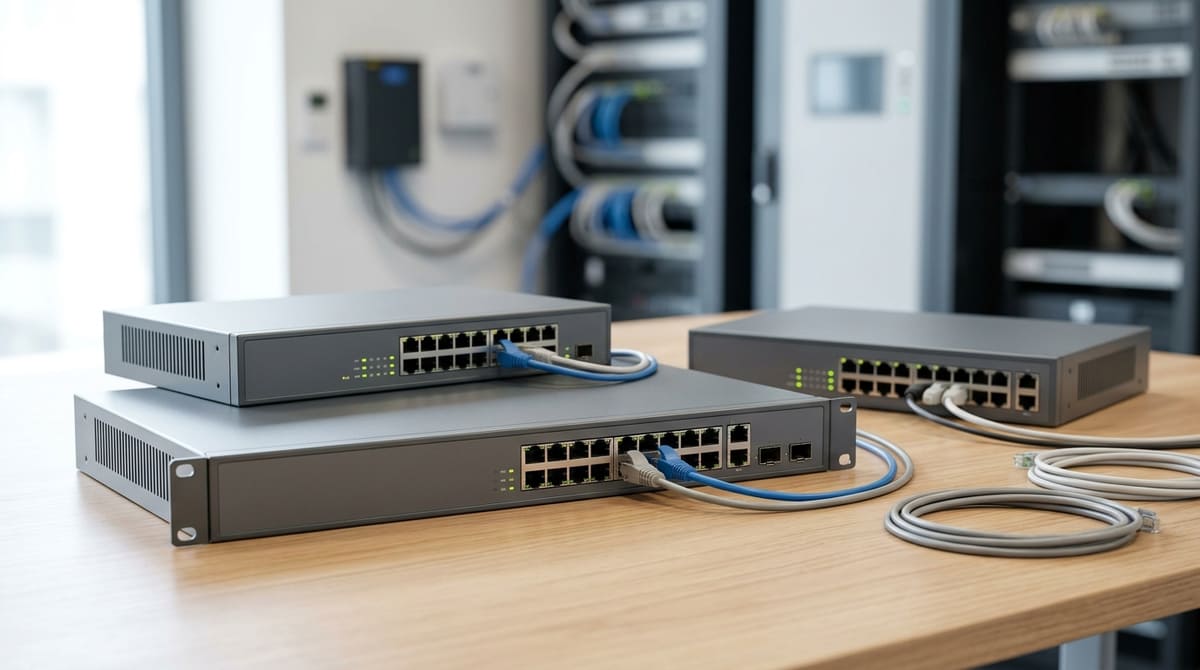
A PoE network switch feeds both data and DC power to every camera down a single Cat5e/Cat6 cable run, so the spec that most often decides a CCTV job isn't port count — it's the switch's total PoE power budget in watts, measured against the sum of every connected camera's actual rated draw.
Get that arithmetic wrong and a switch with sixteen free ports can still cut power to camera nine the moment its IR array kicks in at night.
The qualification that trips up many installs: a port rated for PoE+ (802.3at, up to 30W) tells you nothing about whether the switch as a whole has enough budget to run all its ports at once — check the total figure on the datasheet, not just the per-port maximum.
What is a PoE switch, and why does it matter more on a CCTV job than a data network?
A PoE switch delivers power and data over one Cat5e/Cat6 cable following 802.3af/at standards, removing the need for separate mains at each camera. On CCTV jobs, the total PoE power budget decides whether the switch works, not port count alone.
A PoE switch delivers both data and DC power over the same Cat5e/Cat6 cable run, following the IEEE 802.3af/at standards, so each camera takes its power from the switch rather than from a local mains supply. That single spec answers "what is poe ethernet switch" and "network switch poe meaning" in one line: it's a standard Ethernet switch with power injection built into the ports, so one Cat6 run does both jobs.
On a data network, buying decisions usually centre on port count and throughput. On a CCTV job, the number that actually decides whether the switch will work is the total PoE power budget, not the port count — a switch can have 24 free ports and still drop the tenth camera if the wattage runs out first. Browse the full range of hubs, routers & switches to compare budgets before you buy.
The 802.3af standard (PoE) delivers up to 15.4 watts per port, while 802.3at (PoE+) delivers up to 30 watts per port, both over a maximum 100-metre Cat5e/Cat6 run. That distinction matters directly on a camera schedule:
- A basic fixed-lens IP camera with no heater typically sits well within an 802.3af budget.
- A PTZ, or a camera with an integrated heater or high-power IR array, can draw close to or above the 15.4W ceiling, which is where 802.3at/PoE+ ports become necessary rather than a nice-to-have.
Where the budget bites in practice
A switch's power budget is a fixed pool shared across every connected port, so it's worth checking the total figure on the product page before ordering. A 16-port unit that allows up to 30W on any one port but shares only 130W across the whole switch can run a PoE+ camera on any single port, yet four cameras at full PoE+ draw would use almost all of it.
A 24-port switch with a larger 370W budget offers the kind of headroom a mixed estate of turrets and heated PTZs needs. Always add up expected camera draw against the switch's stated wattage before quoting a job — port count alone will not tell you if it fits.
How do you add up the power budget for a camera schedule?
Add up every camera's rated max draw from its datasheet, then compare the total against the switch's published PoE budget—not its per-port maximum—since the budget is a shared pool across all ports combined.
Add up every camera's rated max draw from its own datasheet, then check that total against the switch's published PoE budget — not its per-port maximum. A port rated 30W under 802.3at (PoE+) tells you what one device can pull; it says nothing about how many ports can run at once, because the switch's total budget is a shared pool across all ports combined.
The formula is simple: total load = camera 1 draw + camera 2 draw + … + camera N draw, compared against the switch's total budget, with headroom left unused. Take each figure straight from the camera's own datasheet rather than assuming a class ceiling, since most cameras draw well under their class maximum in practice.
Where the mismatch shows up
Port count and total budget don't scale together in a simple ratio, and that catches out installers who assume "more ports means proportionally more power." Take two 16-port switches:
- One 16-port Gigabit PoE switch might carry a 230W total budget — 100W more than the other 16-port model below, on the same number of ports.
- The other might offer 30W per port but only a 130W total budget — so loading all sixteen ports at once still leaves you well short of 16 × 30W, meaning full-power PoE+ cameras on every port isn't realistic on that model.
Scaling up, one 24-port switch might give 230W across 24 ports at 30W per port, while another steps up to a 370W total budget — a meaningful difference if you're specifying a poe network switch 24 port for a full run of PTZ or heater-equipped cameras. Checking total budget against your actual camera list, not just port count, is what separates a switch that copes with a poe network switch 8 port or poe network switch 16 port job from one that drops cameras under real load.
Leave headroom rather than filling the budget to the limit. A design that sums to 95% of the published budget leaves no room for an added camera, or for a camera that draws more at startup than in steady state — size against the datasheet total, then add margin before you order.
8-port vs 16-port vs 24-port vs 48-port: which density fits the job?
Pick port count to match your actual camera count plus a small spare margin. Buying extra ports is cheap; buying extra power budget after install is not, so size the PoE power budget for the cameras you'll actually run.
Pick port count to match your camera count plus a small spare margin for growth — never the other way round. Buying an extra port or two is cheap; buying extra power budget after the install is finished is not, so it pays to size the PoE power budget for the cameras you'll actually run, not just count sockets.
A switch with plenty of free ports but an already-committed power budget forces you into a second switch anyway, which defeats the object of buying headroom in the first place. For a quick sizing table by camera count, see our guide to sizing PoE switches for CCTV.
Matching density to the job
- 4-port — a 4-port Gigabit unmanaged PoE switch suits a small shop or residential fit with three or four cameras and no realistic plan to expand further. Check the product page for its power budget and surge rating before you spec it against a particular camera line-up.
- 16-port — here the choice is really about cabling standard and power, not port count alone. Compare a switch with Fast Ethernet (10/100) camera ports, a 130W total budget and 30W per port against one with Gigabit on every port and a 230W budget: the Gigabit model is the better fit where you want bandwidth headroom for future higher-bitrate streams.
- 24-port — a switch with Gigabit ports across all 24, a 370W total budget plus RJ45 and SFP uplinks is aimed at larger commercial sites where you're near or above 16 cameras and want fibre uplink options back to a comms cabinet. A 24-port switch at Fast Ethernet (10/100) speed sits below it on power, with a 230W total budget and 30W per port, workable where camera power draw is modest but tighter if you're running higher-consumption PTZ or multi-sensor units.
- 48-port — judge any 48-port PoE switch you're quoted on its published power budget, not its port count, since a high port count with an undersized budget just moves the bottleneck rather than removing it.
Why the power budget decides more than the port count
A 24-port switch with a 230W budget and one with 370W have identical port counts and can look interchangeable at a glance, but the practical camera count they support differs sharply once you factor in higher-draw devices such as PTZ heads or IR-heavy bullet cameras.
Total power budget divided across active PoE loads — not divided evenly across all physical ports — is what determines how many cameras a switch will actually run at full spec. When sizing a job, add up the manufacturer's rated draw for each camera model against the switch's total budget before you commit to a unit, rather than assuming "24 ports" means "24 cameras."
For UK installers searching for a poe network switch 24 port option or a poe network switch 16 port model to spec against a camera schedule, the port count answers "will it physically connect," while the power budget answers the harder question of "will it actually run them." Buyers hunting a poe network switch near me for next-day fitting, or comparing a poe network switch 8 port budget switch for a small install, should apply the same logic at smaller scale: check the watts before checking the box count.
Managed or unmanaged: when does a CCTV job need switch management?
Unmanaged PoE switches suit simple single-recorder CCTV runs because they're plug-and-play with no configuration needed. A managed switch justifies its extra cost and set-up time mainly when the job needs VLANs, per-port monitoring, or remote PoE reset.
For a straightforward installer job — one NVR, a handful of Gigabit-connected IP cameras, one cable run to a rack or cupboard — an unmanaged switch does the entire job the moment it's powered up.
Where the trade-off actually bites
Managed switches cost more and take longer to configure than an unmanaged equivalent, and that overhead has to buy something. For a single NVR feeding one or two camera runs, that overhead is hard to justify if there's nothing to segment, nothing to monitor remotely, and no office LAN or second tenant to keep off the camera network — but check those conditions on site rather than assuming them.
The calculation flips on multi-tenant or IT-integrated sites. There, per-port control and VLAN segregation — keeping camera traffic off the office LAN — becomes genuinely valuable, and a managed switch's ability to reboot a locked-up camera's PoE port remotely can save a site visit. If a job needs that control, it's worth pricing a managed switch through a trade account rather than swapping out an unmanaged one later.