
Law & Compliance
UK CCTV Law 2026: What Owners Must Know
No permission is needed to point a camera at your own property, but UK law changes the moment your lens drifts onto a neighbour's drive, a shared path, or the…
On this page
- Working Title: UK CCTV Law Explained: What Every Camera Owner Must Know in 2026
- When ICO registration applies
- Signage, retention and access requests
- Do you need permission to put up CCTV at home?
- When does UK GDPR actually apply to a home CCTV system?
- Do businesses need to register CCTV with the ICO?
- What are the signage and footage-retention rules?
- Related products
No permission is needed to point a camera at your own property, but UK law changes the moment your lens drifts onto a neighbour's drive, a shared path, or the pavement outside. At that point you're processing someone else's personal data, and UK GDPR — not just common courtesy — governs what you must do about signage, storage, and subject access requests. This guide cuts through the myths so buyers and installers alike know exactly where the legal line sits in 2026, and what crossing it actually costs you.
Working Title: UK CCTV Law Explained: What Every Camera Owner Must Know in 2026
UK CCTV law splits into two regimes: a light-touch approach for filming strictly within your own boundary, and full UK GDPR obligations once your camera captures anyone outside it. That distinction — not the make of camera — decides whether you need signage, a retention policy, or an ICO entry.
Homeowners filming only their own property and family generally sit outside data protection law, per government guidance for domestic CCTV users. The moment a camera's field of view extends past your boundary — a neighbour's drive, a shared bin store, the pavement — you're very likely processing personal data under UK GDPR, as set out for anyone researching cctv installation near me.
When ICO registration applies
Businesses and landlords running cctv surveillance cameras almost always need to notify the Information Commissioner's Office and pay the data protection fee, because commercial use falls squarely under UK GDPR regardless of camera count. Domestic users filming only their own garden typically don't need to register, but ANPR systems reading number plates at a business entrance carry extra obligations around accuracy and retention, covered in detail in our best CCTV cameras comparison guide for ANPR camera installs.
Signage, retention and access requests
Visible signage is expected wherever cctv and cameras capture anyone beyond your own property — a laminated sign at eye level naming a contact point is standard practice. Anyone whose image is captured can submit a subject access request, and organisations must respond to genuine requests without unreasonable delay or charge in most cases.
Neighbour disputes are common but rarely criminal — a neighbour's camera angled onto your garden is a data protection complaint route via the ICO, not a police matter, unless harassment is involved. Keep footage only as long as genuinely needed; a documented retention period protects you if a dispute or subject access request ever arises.
Do you need permission to put up CCTV at home?
No — you don't need permission, registration or a licence to install CCTV cameras at home covering only your own property, but data protection law kicks in the moment a camera sees beyond your boundary. Ordinary household coverage of your own driveway, front door or garden is a private, domestic matter, not something the ICO or local authority needs to approve.
Key takeaway: a camera aimed strictly at your own property needs no registration or licence at all. This applies whether you're running a single wireless doorbell camera or a fuller CCTV surveillance camera setup with a recorder and several turrets covering the whole plot.
The picture changes once the lens captures anything outside your boundary. Per the ICO's home CCTV guidance, footage of a neighbour's drive, a shared path, or a passing pedestrian counts as their personal data, and if your system regularly records that you're expected to handle it responsibly — limiting retention, keeping footage secure, and not using it for anything beyond protecting your own property.
That's a lower bar than formal UK GDPR registration, but it's not nothing: a doorbell camera angled to sweep across a shared driveway or a neighbour's gate is exactly the scenario the ICO guidance addresses, and it's the single biggest source of neighbour disputes over home CCTV.
This section covers ordinary household coverage only. Number plate recognition systems and business premises sit under different rules with sharper compliance obligations — covered in guidance on CCTV installation and the wider legal picture — so don't assume a home-camera exemption carries over to a shop, office or car park.
For anyone shopping for cctv cameras for home use, the practical takeaway is simple: keep the field of view tight to your own boundary wherever possible, and you avoid most of the compliance questions that follow a wider-angle install. Those looking to scale up to CCTV kits and accessories for broader coverage — including 6 camera kits — should ensure their entire system respects the same boundary principle.
When does UK GDPR actually apply to a home CCTV system?
UK GDPR applies the moment your camera records identifiable people beyond your own boundary — a neighbour's garden, the pavement, a shared bin store or driveway. Footage kept purely within your own property, of your own family and visitors, generally falls outside data protection law; footage that captures a neighbour's window or a passer-by's face does not. Per GOV.UK's domestic CCTV guidance, non-compliance can still trigger ICO regulatory action even though the camera belongs to a household user rather than a business.
Doorbell cameras and angled porch cameras are the most common accidental trigger, because their wide-angle lenses routinely oversee the full width of the street, adjoining driveways and next door's front garden. Anyone installing a CCTV system on their property should check the lens angle against what's actually next to the boundary, not just what's in front of the porch. A camera bought purely for home security can still end up processing a neighbour's personal data without anyone intending it.
If in doubt, tilt the camera down or mask the field of view in the camera's software rather than argue the point later. Most modern DVR and NVR interfaces, and many doorbell apps, support privacy masking over specific zones of the image — use it on neighbouring windows, gates or shared paths.
Practical fixes worth checking before a complaint ever lands:
- Reposition or angle the camera to exclude neighbouring land wherever physically possible.
- Apply a privacy mask over any unavoidable overlap, such as a shared bin store or boundary path.
- Re-check coverage after any lens, mount or bracket change — swapping to a pole-mounted or PTZ camera on a bracket can widen coverage unintentionally if not re-tested.
Do businesses need to register CCTV with the ICO?
Yes — under GOV.UK's business CCTV guidance, any business operating CCTV must register with the Information Commissioner's Office (ICO) and pay the annual data protection fee, unless it qualifies for an exemption. This single requirement is the biggest legal split between a homeowner's CCTV cameras at home and a shop, office or yard running the same hardware for the same purpose.
A domestic householder pointing cameras at their own driveway generally sits outside this regime, but the moment footage is captured for a business purpose — staff monitoring, retail loss prevention, ANPR at a commercial gate — data protection registration typically applies. Exemption categories exist, but which businesses qualify is genuinely case-specific, so check current status directly on the ICO/GOV.UK registration page rather than assuming.
The bold takeaway: a business running CCTV surveillance cameras without ICO registration where required is operating outside the law, no matter how good the camera or footage quality is. A 4K sensor and immaculate storage retention count for nothing if the paperwork behind the installation is missing.
This is also where a proper installation earns its keep. A CCTV installation quote should itemise not just the hardware and labour but the commissioning and legal compliance steps — including flagging ICO registration — because a quote that skips this is, as our own guidance on CCTV packages notes, an incomplete service. Installers fitting security cameras for offices, warehouses or retail units should raise ICO registration at the survey stage, not leave the client to discover it after a complaint or inspection.
What are the signage and footage-retention rules?
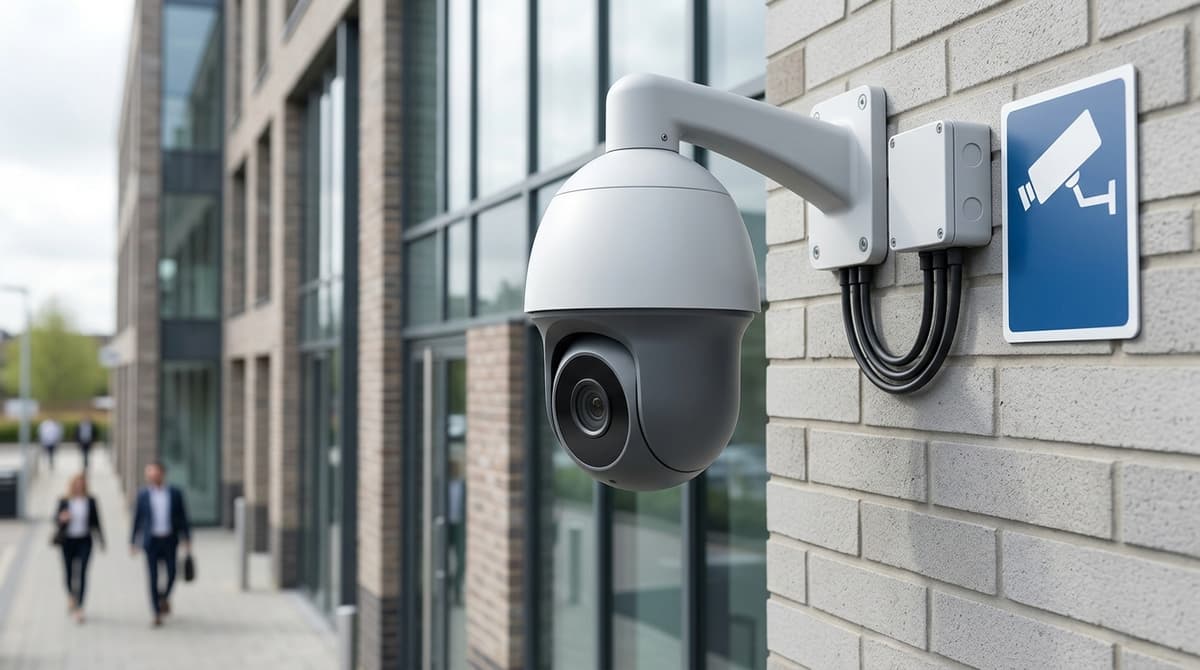
Anyone using CCTV for anything beyond purely personal, domestic filming must display clear signage explaining that recording is taking place and why, as set out on the GOV.UK commercial CCTV page. Signs should be visible before someone enters the monitored area, state the purpose of the recording, and give contact details for whoever is responsible for the footage — a business name and phone number is usually sufficient.
Retention has no fixed legal number of days — the ICO's principle is simply to keep footage no longer than necessary for the purpose you recorded it. A shop justifying retention against till-discrepancy investigations might keep 30 days; a warehouse guarding against theft claims might need longer — the point is that the period must map to a genuine business purpose you can explain, not a round number picked for convenience.
Whatever period you choose, write it down. The ICO's checklist for limited CCTV systems is the reference point for smaller setups — most shops, pubs and small offices with a handful of fixed cameras — and expects you to document your purpose, retention period, who can access footage, and how subject access requests get handled.
Practical points worth building into any install:
- Signage at entry points, not just on the camera housing itself
- A written retention policy, even a one-page note, kept with your system paperwork
- NVR overwrite settings set to match your documented period, not left on factory default
Domestic users filming only their own property generally sit outside these obligations, but as soon as a camera captures a neighbour's drive or a public footpath, the same signage and retention discipline applies.
Related products
Related products from our own range:
5MP PIR Fixed Turret CCTV Camera TVI/AHD/CVI — • Supports 5MP (Lite) and 2MP Full HD video output over coaxial cable • Integrated PIR sensor for accurate heat-based motion detection • 1/3" CMOS image sensor with selectable resolution output
2MP PIR Fixed Turret CCTV Camera AHD/TVI/CVI/CVBS FHD — • 2MP Full HD resolution (1920 × 1080) video output over coaxial cable • Integrated PIR sensor for accurate motion detection • 1/3" CMOS image sensor for stable and clear video capture • Fixed lens
5MP 4 Channel Hybrid 5-in-1 CCTV Digital Video Recorder, H.265+, Supports up to 4 BNC Cameras & One IP Camera — The Annke DW41JD is a hybrid 5-in-1 digital video recorder supporting up to 5MP Lite resolution on analog channels and full compatibility with multiple analog standards and IP video. It is designed for flexible system expansion and reliable performance in both residential and commercial environments. This recorder provides efficient storage and playback capabilities, making it an ideal choice for comprehensive CCTV monitoring solutions that require scalability and multi-format support.