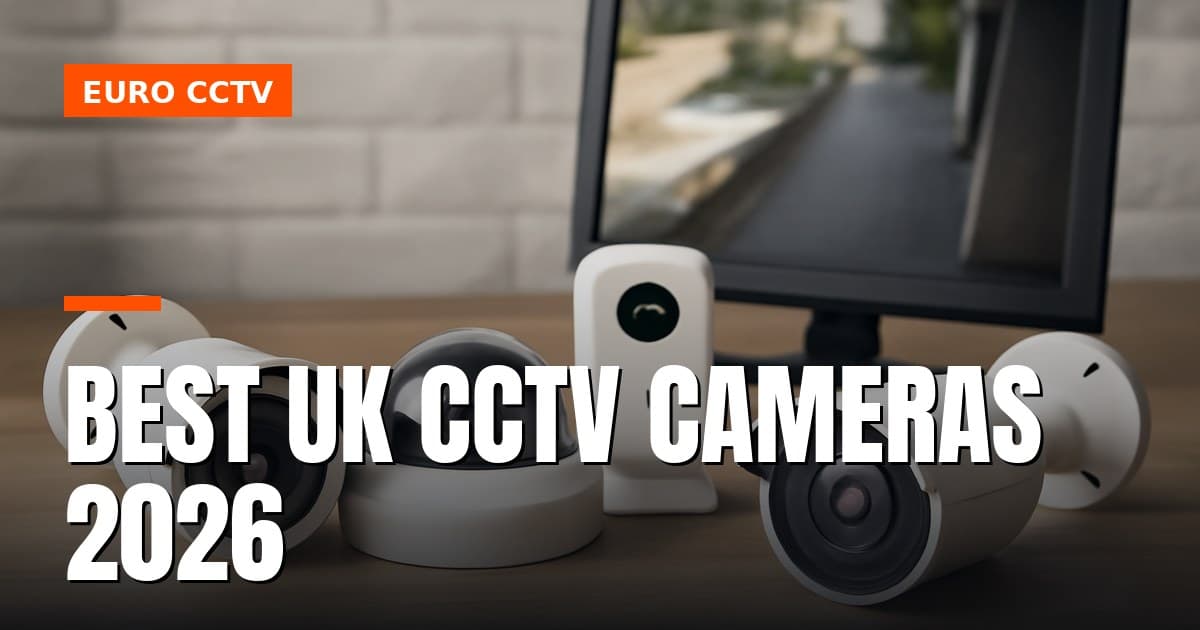
Choosing the right CCTV camera in 2026 comes down to three decisions made before you touch a spec sheet: where the footage travels, how dark the site gets at night, and whether you're running new cable or reusing what's already in the walls. Get those three answers right and the rest — resolution, brand, recorder type — falls into place around a budget that actually makes sense for the job.
What type of CCTV camera do you actually need — and what separates IP from analogue in 2026?
In 2026, the choice between IP and analogue HD is not about image quality — modern HD-over-coax sensors match IP on resolution. It is about infrastructure, scalability, and what cable you already have in the walls.
IP vs analogue HD: the core distinction
IP cameras encode video on the sensor itself, compress it using H.265, and send a digital data stream over Cat5e/Cat6 to a Network Video Recorder (NVR). Power comes from the same cable via Power over Ethernet (PoE), typically 802.3af at 15.4 W or 802.3at at 30 W per port. Storage scales by adding hard drives or expanding to cloud NVR without rewiring.
HD-over-coax cameras — sold under the TVI, AHD, CVI, and legacy CVBS standards — transmit an analogue or semi-analogue signal over the same RG59 or RG6 coaxial cable used in older installations. A current-generation 3K CMOS unit running TVI can deliver 3K resolution at 20 fps, or drop to 4 MP at 25/30 fps, all over a cable run that may be 20 years old. That backwards compatibility is the entire point.
When each technology makes sense in 2026
Choose IP/NVR if you are starting from scratch, need cameras beyond 100 m from the recorder without a signal booster, want built-in analytics (line crossing, face detection) processed at the camera edge, or need to integrate with access control over a single network. PoE switches make multi-camera installs clean and auditable.
Choose HD-over-coax/DVR if you are upgrading an existing coaxial installation and want to avoid re-cabling. Swapping a 2 MP TVI camera for a 3K CMOS unit on the same coax run delivers a meaningful resolution uplift — 2960 × 1665 pixels — at a fraction of the cost of a full IP retrofit. For a small retail site or a domestic property already wired in coax, this is often the most cost-effective path.
The honest trade-off: HD-over-coax tops out at the resolution the DVR chipset supports and offers limited edge analytics. IP systems require a structured Cat6 network, and a PoE switch with a realistic budget — a managed 8-port PoE switch capable of 120 W total output costs meaningfully more than a passive coax balun.
Clearing up the "IP camera vs CCTV" confusion
This is one of the most searched questions in the UK security market, and the answer is straightforward: every modern surveillance system — IP or analogue — is legally "CCTV" under the ICO's surveillance camera code of practice and UK GDPR. The term "IP camera" describes the transport protocol (Internet Protocol over Ethernet), not a separate legal or product category. A Hikvision IP dome and a TVI bullet camera are both CCTV and camera systems in the eyes of the ICO, and both require compliant signage, a documented retention policy, and a lawful basis for processing if they capture identifiable individuals.
The confusion arises because consumer marketing started using "IP camera" to mean "smart/Wi-Fi camera" and "CCTV" to mean "old analogue system." Neither usage is technically accurate. If you are specifying a system for a UK business, the ICO code applies regardless of whether the recorder is an NVR or a DVR.
Why your CCTV camera switches to black and white — and why that is normal
A CCTV camera switches to black and white because its IR cut filter (ICR mechanism) has activated in response to low ambient light. This is correct night-mode operation, not a
malfunction or defect. When light levels drop below a certain threshold, the camera automatically engages infrared illumination and removes the IR cut filter to allow the camera's sensor to detect the infrared spectrum, which is invisible to the human eye but essential for capturing clear images in darkness. This automatic switching is a standard feature across most modern CCTV systems and ensures continuous surveillance capability around the clock.
How do use case and environment determine the right camera — home, SME, retail, or construction site?
The right CCTV and camera combination is determined first by the environment, then by resolution and light requirements, and finally by who will install and maintain it. Matching those three factors before buying saves significant cost and avoids the most common specification mistakes.
Home and DIY installations
For a residential front door at 3 m or less, 2–4 MP is sufficient to achieve facial identification — you do not need 8 MP, and the larger file sizes only eat storage unnecessarily. A Wi-Fi bullet or dome rated IP66 minimum handles UK weather; IP67 is preferable for exposed soffits. Entry-tier options include the Reolink RLC-810A (4K PoE), Yale SV-DAFX-W (Wi-Fi, 1080p), and Hikvision's ColorVu range, which uses a large-aperture lens and supplemental white light to deliver full-colour footage down to 0.001 lux — matching the DS-2CE12KF0T-LFS spec in the dossier.
DIY suitability score:
| Scenario |
DIY score |
| PoE switch and router in same room, cable run < 15 m on surface |
High |
| Cable run 15–30 m, no masonry penetration |
Medium |
| Cable run > 15 m through brick or blockwork, loft void crossing |
Low — use an installer |
Wi-Fi cameras avoid cable runs entirely but introduce dependency on router signal strength and suffer interference in dense housing. For a single front-door camera with good Wi-Fi coverage, Wi-Fi is fine; for four or more cameras, a PoE NVR system is more reliable and avoids congesting the home network.
SME and small commercial
A typical small business — a workshop, dental practice, or eight-desk office — needs 4–8 MP IP domes on a PoE NVR. The Hikvision DS-2CD series (e.g. DS-2CD2347G2-LU, 4 MP ColorVu) and Dahua IPC-HDW mid-tier are the workhorses here: proven firmware, wide lens availability, and straightforward NVR integration.
PoE budget maths matter. A 16-port unmanaged PoE switch rated at 150 W total cannot power 16 cameras drawing 15 W each (16 × 15 W = 240 W). In practice, eight cameras at 15 W each already hits 120 W, leaving only 30 W headroom. Always check the switch's total PoE budget, not just the per-port maximum — a 16-port switch with a 250 W budget handles 16 × 12 W cameras (192 W) comfortably, but not 16 × 15 W. Spec a switch with at least 20 % headroom above your calculated load.
Storage sizing is the other trade knowledge trap. At 4 MP, H.265, continuous recording, each camera generates roughly 40–60 GB per day depending on scene complexity. Eight cameras over 31 days requires approximately 10–15 TB of usable NVR storage — a figure most DIY buyers underestimate by half. Installer score: medium. Network VLAN configuration, ONVIF pairing, and storage calculations require trade knowledge; physical mounting is straightforward.
Retail environments
Retail demands evidential-quality footage that will withstand scrutiny from loss-prevention teams, police, and potentially a court. The priority shifts from resolution alone to wide dynamic range (WDR) and cybersecurity — a camera covering a bright shopfront entrance with a dark interior will produce silhouettes on a standard sensor.
The **Axis P3278-
How do budget tiers and brand reputation stack up — entry, mid-range, and professional?
Your budget per camera is the single biggest determinant of image quality, flexibility, and long-term lock-in. The three tiers — entry-level, mid-range, and professional — each involve genuine engineering trade-offs, not just marketing positioning.
Entry tier: entry-level pricing
Best for: small domestic sites, single-building retail, landlords wanting basic evidential footage.
The Hikvision ColorVu analogue range — including the UK-CA-3K-G2 — delivers genuinely impressive specifications at this price point. Resolution is 2960 × 1665 pixels (3K CMOS), minimum illumination is 0.001 lux at F1.0 with AGC on, dropping to 0 lux with the integrated white light active. The lens is a fixed 2.8 mm, and the signal system is PAL (UK standard).
The UK-CA-3K-G2 is an entry-level option; a four-camera DVR kit offers compelling cost-per-megapixel value for a landlord or small shopkeeper. Account pricing applies — log in to see the current figure.
The honest trade-offs:
- The 2.8 mm fixed lens gives a wide field of view but cannot be repositioned to tighten on a till or gate without physically remounting the camera. There is no optical zoom.
- AHD/TVI output ties you to a compatible DVR. If you later want to add IP cameras or switch to an NVR, the analogue cameras become redundant — you cannot mix them on the same recorder without a hybrid DVR.
- Frame rate at full 3K resolution is 20 fps over TVI; drop to 1080p and you recover 25/30 fps. For most retail or domestic use, 20 fps is acceptable, but it is worth knowing before specifying.
The Reolink RLC-810A is the other credible entry option — an 8 MP IP camera with PoE and an onboard microphone at entry-level pricing. It lacks the analogue compatibility issue entirely, but Reolink's VMS software is basic and ONVIF support is partial, which can cause headaches if you later integrate with a third-party NVR.
Mid-range tier: mid-range pricing
Best for: commercial premises, multi-site retail, schools, landlords with communal areas requiring ONVIF integration.
The Hikvision DS-2CD2 series and Dahua IPC-HDW3849H sit squarely here. Both support H.265+ compression (which roughly halves storage versus H.264 at equivalent quality), carry onboard microSD card slots for local redundancy, and are ONVIF Profile S/G compliant — meaning you are not locked to the manufacturer's own NVR.
ONVIF compliance is the key differentiator from entry-level analogue. It means a DS-2CD2 camera can be managed by Milestone, Genetec, or any competent third-party VMS, which matters the moment a client outgrows the bundled software.
PoE budget — a detail that catches installers out:
Mid-range varifocal motorised units (common in this tier for their 2.8–12 mm or 2.7–13.5 mm zoom range) frequently require IEEE 802.3at PoE+ at up to 30 W. Standard IEEE 802.3af switches supply only 15.4 W. Specifying a motorised varifocal camera on an 802.3af switch will result in the camera either failing to power or disabling the motor — always check the camera's Po
E consumption sheet against your switch specifications before ordering. A single undersized PoE switch can silently cripple a multi-camera deployment, so this is not a minor detail. Budget for PoE+ infrastructure if your mid-range selection includes motorised optics, and verify power draw during site commissioning.
What are your UK legal obligations before you install a CCTV camera — GDPR, ICO code, signage, and planning?
Any CCTV or camera system that captures identifiable individuals outside your own private home is processing personal data under UK GDPR. That applies from the moment a lens covers a pavement, a car park, a shared corridor, or a neighbouring property — regardless of whether you ever review the footage.
UK GDPR and the ICO CCTV Code of Practice
The ICO's CCTV Code of Practice (updated under the UK GDPR framework) is the definitive compliance document for any organisation or sole trader operating surveillance cameras in England, Wales, or Scotland. It is not optional guidance — the ICO can issue enforcement notices and fines for non-compliance.
Lawful basis: Most SMEs rely on legitimate interests (Article 6(1)(f) UK GDPR) as their lawful basis. You must document a three-part Legitimate Interests Assessment (LIA): identify the interest, show the processing is necessary, and confirm it is not overridden by individuals' rights. For a retail unit protecting stock, this is usually straightforward to justify; for a system covering a public street, the bar is higher.
Data Protection Impact Assessment (DPIA): A DPIA is mandatory before deployment where processing is "likely to result in a high risk" — this includes large-scale surveillance, systems using AI analytics, facial recognition, or any camera covering a significant public area. Even where not strictly mandatory, completing a DPIA is best practice and demonstrates accountability to the ICO.
Retention policy: The ICO's position is clear — keep footage only as long as necessary for the stated purpose. Thirty days is the widely adopted default for most commercial premises; incidents under investigation should be extracted and stored separately before the routine overwrite cycle runs. Set your DVR or NVR to auto-overwrite on schedule and document that policy in writing.
Data Subject Access Requests (DSARs): Any individual captured on your CCTV and camera footage can submit a DSAR. You must respond within one calendar month, providing relevant footage with third-party faces redacted. Failure to comply is an ICO enforcement risk.
Signage — What the ICO Actually Requires
Signage is mandatory, not advisory. Under the ICO code, signs must be in place before a person enters the monitored zone — so a sign inside a shop door is insufficient if a camera covers the entrance from outside.
Each sign must include:
- The name of the data controller (the organisation or individual operating the system)
- A contact point (phone number, email, or postal address)
- The purpose of the surveillance (e.g. "CCTV in operation for the prevention and detection of crime")
The ICO does not prescribe a minimum sign size in law, but its own template — freely downloadable from ico.org.uk — is the safe baseline. Using the ICO template protects you if challenged; a hand-written note on A4 paper does not. Place signs at eye level, ensure they are legible in the lighting conditions present, and check them regularly for fading or obstruction.
For multi-entrance premises, every entry point needs a sign. A single sign at the main reception is not compliant if staff, delivery drivers, or visitors can enter via a side or rear door that is also under surveillance.
Audio Recording — A Higher Legal Bar
Cameras with built-in microphones raise the compliance burden significantly. The DS-2CE12KF0T-LFS, for example, includes audio capability alongside its 3K CMOS sensor. If you activate that microphone, you are recording conversations — which the ICO treats as a more serious privacy intrusion than video alone.
Audio recording requires:
- Explicit signage stating that audio is being recorded, not just that CCTV is in operation
- Stronger justification under your legitimate interests assessment — you must demonstrate that audio is genuinely necessary for the
purpose you claim (e.g., security, staff safety). Blanket audio recording "just in case" will not satisfy the ICO. In practice, most UK businesses disable the microphone entirely or use cameras without audio capability to avoid the additional compliance overhead and potential liability. The legal distinction is clear: video surveillance is commonplace and widely accepted; audio surveillance is treated as exceptional and requires documentary proof of necessity.
This article was researched and written by IT Master.